1. Get rid of over-the-phone payments
Credit card payments over the phone to your suppliers aren’t necessary. Just set up your credit card in Ordermentum so you pay when you order. So easy!
Payments in Ordermentum are:
- Secure: billions of dollars are processed safely through Ordermentum every year.
- Convenient: pay in a couple of taps, then get on with running your business.
- Set and forget: no more chasing payments or checking off multiple bank transfers.
.png?width=287&height=595&name=iPhone-16-Pro%20(1).png)
2. Get staples delivered automatically
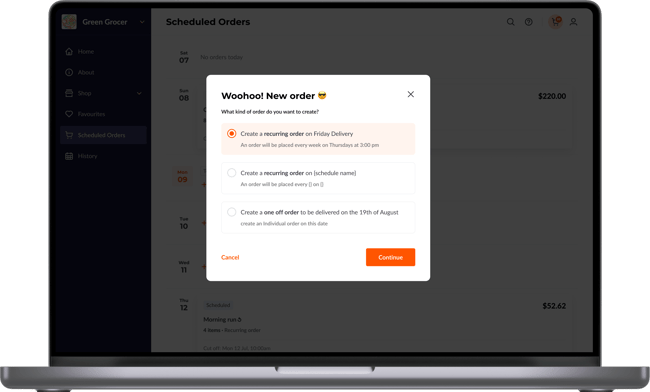
It’s a no-brainer for the busy venue to set up standing orders for any staples. Let bread, milk, coffee, or anything else you use arrive weekly…like magic. Automatically order the products you need every week or month.
- Never run out of essentials.
- Make forecasting and budgeting easier. Predictable spend equals predictable cash flow.
"Sometimes we also forget to order, but that’s saved by having standing orders in place for staples. If a barista forgets to order milk, we might not get exactly what we need, but milk will be coming regardless.”
- Jess Dufficy, Owner, Four Ate Five, Sydney
3. Track price changes of your products
Keeping tabs on your suppliers' spend shouldn’t require spreadsheets. With Ordermentum Insights, you can:
- See spend broken down by supplier.
- Track how your spend on a product changes over time.
- Spot trends before they impact your bottom line.
Pro feature: If you upgrade to Ordermentum Pro, you also unlock Price Change History.
The Insights feature for venues shows you how a product’s price has changed since your last order. But Pro goes deeper: it tracks every single purchase, giving you the full history so you can see how prices shift over months or seasons.
“There are times when times are tough, and we stop doing expensive dishes because we can’t afford the wastage -having transparency around what we order makes it easier to make menu changes.”
- Anthony Ianoco, Bertoni Casalinga, Balmain, Sydney
Learn more about Ordermentum Pro
.png?width=350&height=515&name=iPhone-16-Pro%20(2).png)
4. Get rid of manual invoice entry
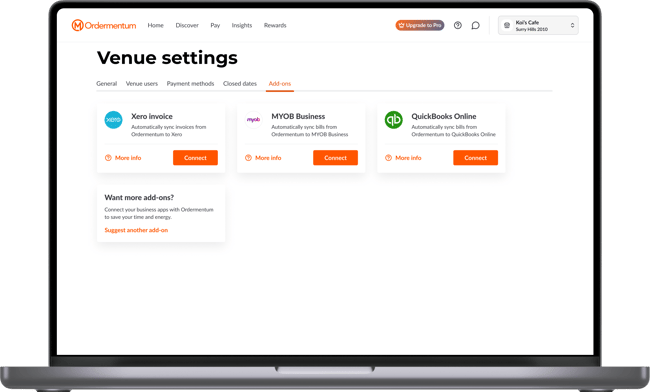
Everyone hates manual invoice entry. With Ordermentum, your invoices are automatically synced into Xero, MYOB, or QuickBooks. That means:
- Save hours every week by ditching data entry.
- Accurate P&Ls: no more falling behind on bookkeeping.
- One-click bookkeeping (Xero users): set expense codes per line item, then reconcile invoices in seconds.
Note: There’s a cap of 30 synced invoices per month on the free plan. Upgrade to Pro for unlimited invoice syncing.
Learn more about invoice syncing
5. Keep your supplier invoices all in one place
If some of your suppliers aren’t on Ordermentum, you can still keep your admin down. All you need to do is:
- Upload their PDF invoices into the app, or
- Forward them to your unique Ordermentum email address.
These invoices will:
- Appear in your Insights dashboard (and show their price history if you’re a Pro user).
- Sync straight into your accounting software, so your bookkeeping stays complete.
Some savvy venue operators have even uploaded their past six months’ worth of invoices from external suppliers to get a proper grasp of their COGS in the Insights tab.
Admin for venues is painful - but we’re here to make it so much easier.
.png?width=287&height=595&name=iPhone-16-Pro%20(3).png)
Want to see how much easier your finances could be? Try Ordermentum Pro free for 30 days and unlock features like full price change history and unlimited invoice syncing.